
| All the software on this site has been made by us | |
|
This software is donationware and can be used on any computer (home, work, school). If you want to help us and support the development of this application, you can register it by donating!  System requirements: Windows 10 / 11 (32 & 64 bit) - .NET Framework 3.5 / 4.5 |

|
|
My Startup Delayer v1.80
|
|||||||||||||||||||||


License type: donationware
.NET Framework: 3.5 |
Software description
Improve the loading time of Windows by delaying the startup of programs!
Every time you start Windows a lot of programs starts automatically making Windows really unresponsive for minutes. This is noticeable especially on slow PC (like netbooks / nettop with Atom CPU / old pc). With My Startup Delayer you can choose wich processes delay (or disable) at startup! Also you can decide after how many seconds you want to start them and the delay between each execution! You can also add your favorite programs to be executed automatically (useful at work! ... every day you open the same programs? :D) What is the difference between using our software insted of the Windows "Startup" menu? Well.. Windows launch ALL the software simultaneously making it really slow and unresponsive. My Startup Delayer launch them one by one (you can set the seconds to wait after each execution).
What's new in 1.80: - added a new registration method: download a temporary license code! - removed third bundle software (I'm sorry, I didn't thought there was too many problems with the third software installed) - updated internal libraries code - updated registration code What's new in 1.70: - added a skip button in the bundle pre-installation message: the third party software installation can be easily skipped - fixed status when deleting a key - added a confirmation dialog when deleting a user key - (fixed) when resizing the config window, the path column is resized incorrectly - fixed ini manager - various modules updates / fix What's new in 1.61: - updated the software installer What's new in 1.60: - new software updater: the next new versions will be downloaded and installed without the need to unzip manually! - when a new version is available, the list of latest changes is shown in the same window - added a new registration method: now the software can be registered by installing a third party app. Useful for people that don't have PayPal. - various code fix - recompiled with .NET Framework 3.5
|
||||||||||||||||||||


Software screenshots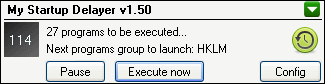 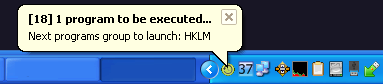 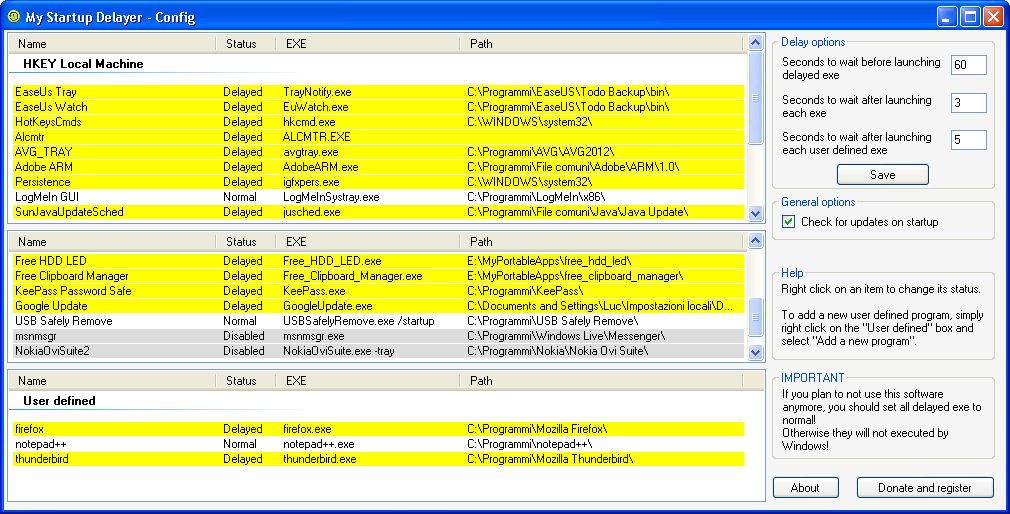
|
This software uses:
Icons by Sekkyumu - http://sekkyumu.deviantart.com
web icon by Oxygen Team - http://www.oxygen-icons.org
Icons by Sekkyumu - http://sekkyumu.deviantart.com
web icon by Oxygen Team - http://www.oxygen-icons.org
(C) 2011 / 2024 My Portable Software - All rights reserved
Site revision v1.82