
| All the software on this site has been made by us |
|
Fast Shutdown v1.00
|
||||||

License type: freeware
.NET Framework: 2.0 |
Software description
A little utility to fast shutdown Windows.
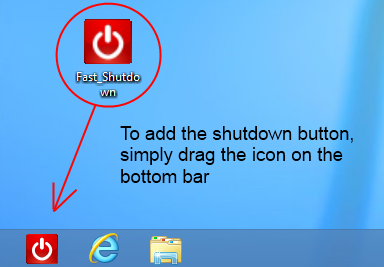
This utility can also be used as a shutdown button for Windows 8 (and 7 / XP)! This is very useful because Windows 8 (in desktop mode) doesn't have the old and useful start menu :) Just put this little tool on the task bar and with one click you will be able to shutdown Windows! By default Fast Shutdown perform a safe shutdown. This means that software with unsaved works wait for user action before closing. If you want to perform a forced shutdown, create a file called "Fast_Shutdown.ini" with this line of code: force=y put this file in the same directory of the software.
|
|||||


|
(C) 2011 / 2024 My Portable Software - All rights reserved
Site revision v1.82