
| All the software on this site has been made by us | |
|
This software is donationware and can be used on any computer (home, work, school). If you want to help us and support the development of this application, you can register it by donating!  System requirements: Windows 10 / 11 (32 & 64 bit) - .NET Framework 3.5 / 4.5 |

|
|
Free File Wiper v1.91
|
||||||


License type: donationware
.NET Framework: 3.5 |
Software description
Delete files securely with this software!
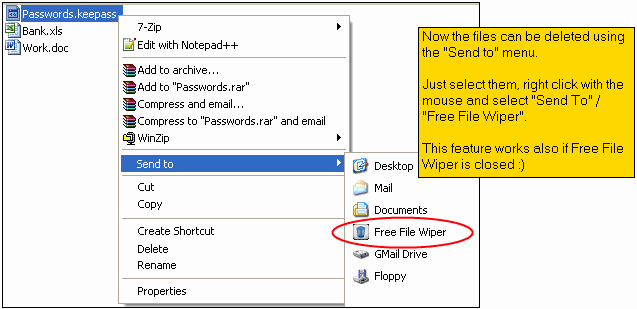
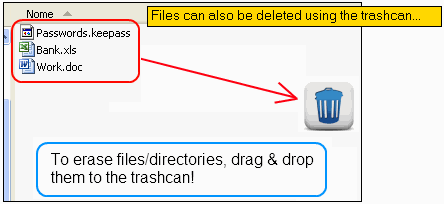
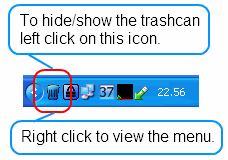
Just right click on files or directories and select "Send to / Free File Wiper" to erase them completely! Or ... you can drag & drop them on the trashcan to perform the wipe operation. Files are overwritten with standard and random patterns (up to 7 overwrites). To ensure maximum privacy also the filename is wiped before deletion. After the wipe, the files cannot be undeleted and restored. Up to four wipe methods (from 1 pass to 7 passes). Version 1.91: - updated internal libraries code - some bugfix - fixed exe version number Version 1.90: - added a new registration method: SMS. Useful if you don't have a credit card or PayPal - (fixed) on some systems the systray icon is not visible after Windows logon (common Windows problem...) - new error reporting system engine - various code fix - updated internal libraries code
|
|||||


|
Software screenshots |
|
|
|
|
|
(C) 2011 / 2024 My Portable Software - All rights reserved
Site revision v1.82