
| All the software on this site has been made by us | |
|
This software is donationware and can be used on any computer (home, work, school). If you want to help us and support the development of this application, you can register it by donating!  System requirements: Windows 10 / 11 (32 & 64 bit) - .NET Framework 3.5 / 4.5 |

|
|
Free Clipboard Manager v4.01
|
||||||


License type: donationware
.NET Framework: 3.5 |
Software description
Want to save automatically the content of the clipboard?
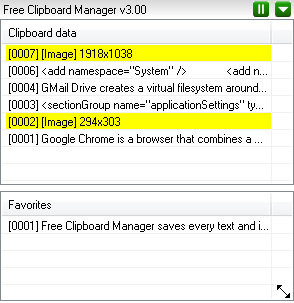
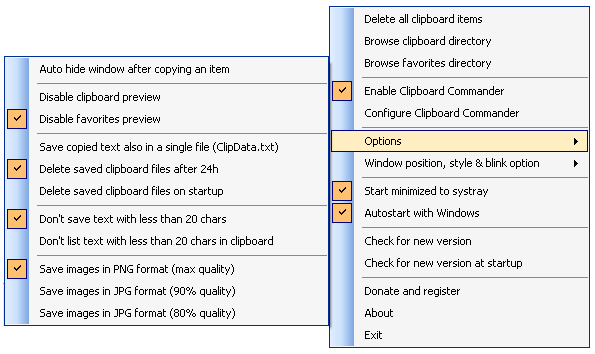
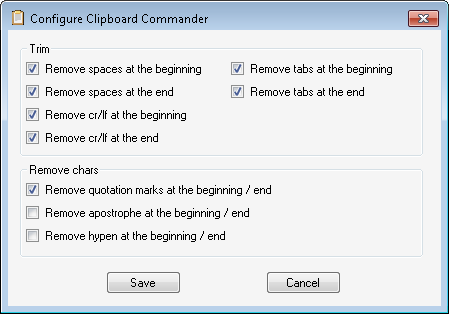
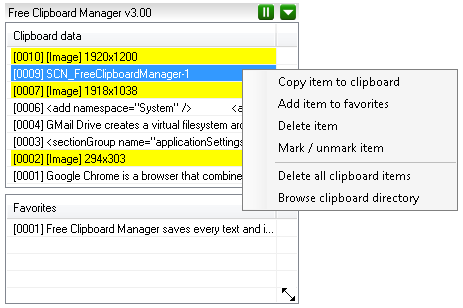
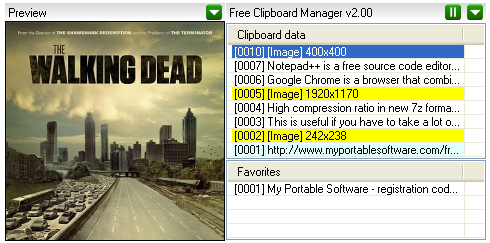
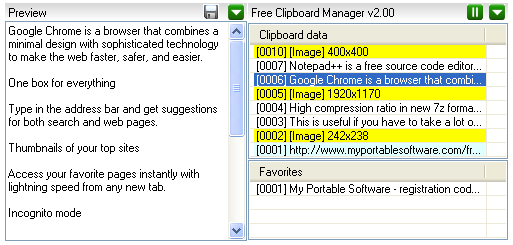
Free Clipboard Manager saves every text and image that is copied in the clipboard! This is useful if you have to take a lot of screenshots or if you need to access to multiple notes of part of code without the need to paste them in a text editor. Simply hit CTRL-C or PRINT SCREEN to save automatically the clipboard content to hdd! To copy them back to clipboard, select the item, right click with the mouse and select "copy item to clipboard". The saved content can also be accessed with explorer. Everything is saved in the directory "clipboard". And if you use some data very often.. you can add them to favorites! They'll will always availables! Keep your text clean: activate the option "clipboard commander" and your copied text will be cleaned by removing spaces/tabs/crlf and others chars. The software also has an option to prevent user/password to be saved to hdd. Selecting the option "don't save text with less than 20 chars", user and password with less than 20 chars, are only copied to clipboard. Also copied text can be auto cleaned after 60 seconds by activating the relative option. Version 4.01: - updated license module - recompiled with Vistual Studio 2015 Version 4.00: - added a new menu option to edit items (useful when preview is disabled) - (fixed) when saving a modified item, the preview content is not refreshed - updated internal libraries code - some bugfix
|
|||||


|
Software screenshots |
|
 |
  |
 |
|
|
|
This software uses:
Icons by Jakub Stacho - http://www.jakubstacho.cz
and Navdeep Raj - http://www.dezinerfolio.com
and Yusuke Kamiyamane - http://p.yusukekamiyamane.com
and Dat Nguyen - http://splashyfish.com
Icons by Jakub Stacho - http://www.jakubstacho.cz
and Navdeep Raj - http://www.dezinerfolio.com
and Yusuke Kamiyamane - http://p.yusukekamiyamane.com
and Dat Nguyen - http://splashyfish.com
(C) 2011 / 2024 My Portable Software - All rights reserved
Site revision v1.82